> ## Documentation Index
> Fetch the complete documentation index at: https://docs.readyhealth.com/llms.txt
> Use this file to discover all available pages before exploring further.
# Taxonomy Mapping
> Learn about how requirements map to documents
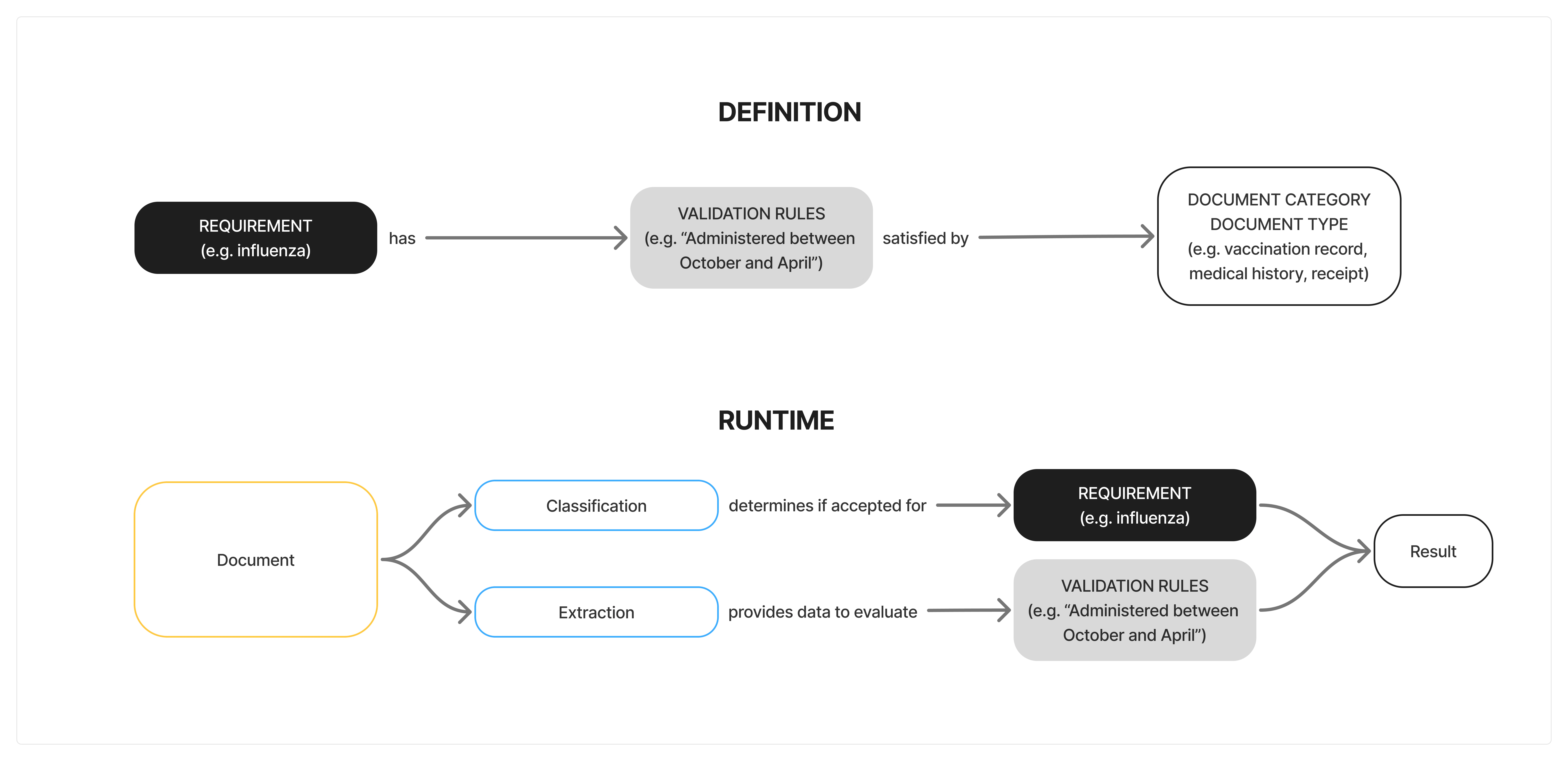
We've built a taxonomy to describe how business requirements map to the documents that are uploaded by healthcare professionals (HCPs). This is essential as documents can contain a variety of data and might meet several different requirements at the same time, while the opposite could also be true (a document seems to have all the right info but doesn't meet the requirement).
**Requirements** are driven by a business need, such as ensuring HCPs are compliant with the latest COVID vaccination policy. The **document category** and **document type** refer to classification of documents that are uploaded by the HCP with the intention to meet the **requirement**.
Because every organization has its own policies and requirement definitions, the links between requirement, category, and document types are fully customizable. If an organization decides that a declination statement is sufficient to meet an influenza vaccination policy, this can be configured without touching any other part of the system. Likewise, if a new document format appears—say, a digital health pass—we can slot it into the right category.
 ## How to Configure the Taxonomy
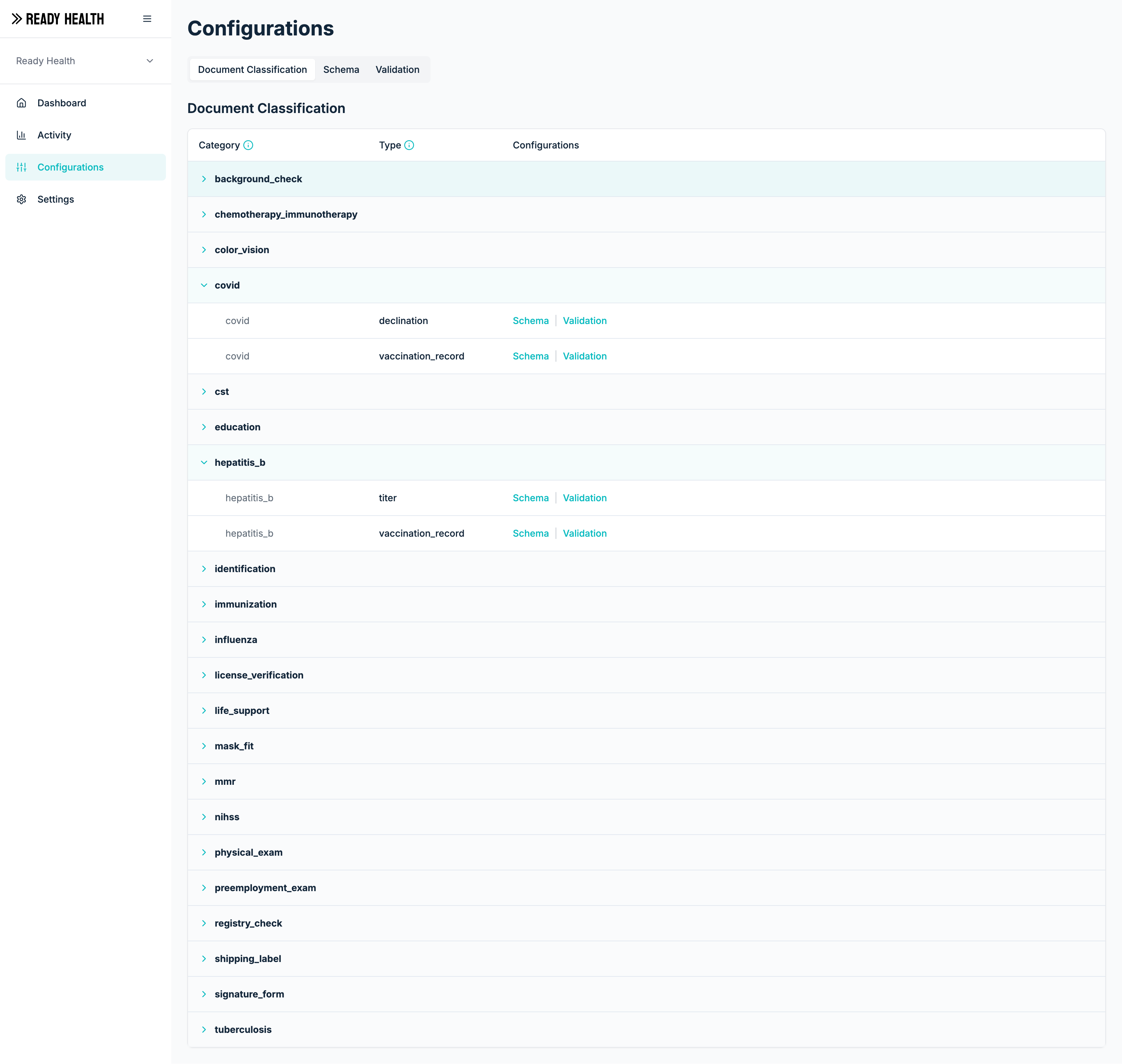
From the Configurations tab in the Admin Dashboard, the requirement, category and types are managed.
## How to Configure the Taxonomy
From the Configurations tab in the Admin Dashboard, the requirement, category and types are managed.